Even Word can do this! Through utilization! Poster / flyer / in-house newsletter Practical computer
- Check with seller
- Published date: 02/25/2021
-
- Yodogawa-ku, Osaka, Japan


Those who understand the basics of the ward will aim for further effective use.
This course is useful for creating full-scale leaflets and posters using figures, illustrations, and photographs.
You will acquire skills that you can create while designing, such as company and community circle activities.
You can also learn techniques for creating in-house newsletters.
This is a course that enhances the sense of space and is visually enjoyable.
There is no limit to the number of times or the deadline, so you can study hard at your own pace until you can use it.
-----------------------------
■ Mainly what you learn and learn
-----------------------------
1. Page and background settings
2. Creating DM postcards and leaflets
3. How to use and use figures
4. How to make an in-house newsletter or poster design
5. Insert and edit images, illustrations and word art
6. Creating a map
7. Utilization of text boxes
---------------------------------
■ What you can do by learning
---------------------------------
・ You will be able to make good-looking chirashiya and posters.
・ If you master it well, you can create a page like an insert advertisement.
・ It can also be applied to the production of blogs and top images of sites.
---------------------------------
■ Especially recommended for people like this!
---------------------------------
・ Self-employed people who want to keep costs down and create leaflets and posters that suit their wishes
・ Clerks who want to create eye-catching bulletins and in-house newsletters
・ People who usually create word documents based on letters but want to make them look better
The skills you have acquired will be useful forever!
Let's challenge! !!
---------------------------------
■ For those who are not very familiar with Word
---------------------------------
Let's learn from the basics and improve your skills step by step.
---------------------------------
■ Date
---------------------------------
Tuesday-Friday 12: 00-20: 00 (16: 00-17: 00 break)
Saturday 10: 00-17: 00 (13: 00-14: 00 break)
* Canceled on public holidays
You can freely choose the day and time each time.
--------------------------------
■ Venue
--------------------------------
3-2-13 Niitaka, Yodogawa-ku, Osaka (5-minute walk from Hankyu Mikuni Station)
Curio Station Mikuni Store
* Click here for course information
https://pcschool.osaka-mikuni.com/course/office.html


Useful information
- Avoid scams by acting locally or paying with PayPal
- Never pay with Western Union, Moneygram or other anonymous payment services
- This site is never involved in any transaction, and does not handle payments, shipping, guarantee transactions, provide escrow services, or offer "buyer protection" or "seller certification"

Related listings
-

Even beginners are okay, MOS qualification test 100% pass rate course
Computer - Multimedia Classes Yodogawa-ku (Osaka) 02/25/2021 Check with sellerSimilar to a driver's license, it is a computer office qualification that is now essential for changing jobs and promotion in society. The qualification to prove its ability is known as the most highly evaluated qualification in MOS (Microsoft Office...
-
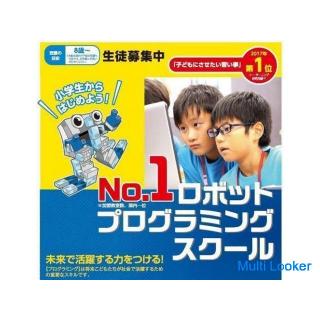
Robot classroom that can be done from elementary school 3! It's fun because you assemble it yourself
Computer - Multimedia Classes Yodogawa-ku (Osaka) 02/25/2021 Check with seller------- ■ Overview ------- This is an Artec robot classroom course that has a good reputation as a school teaching material. ・ It is a course for upper elementary school to junior high school students ・ Assemble the robot yourself ・ Create a control ...
-
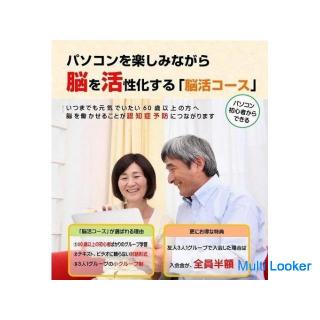
For the prevention of dementia! Let's stay healthy with "brain activity" that keeps the brain health
Computer - Multimedia Classes Yodogawa-ku (Osaka) 02/25/2021 Check with sellerWhy don't you enjoy "prevention of dementia" using your computer? Currently, many reports such as "dementia" and car accidents, which are major social problems, have come to be reported. Unlike forgetfulness due to aging, dementia is one of the illne...
Leave your comment (spam and offensive messages will be removed)